
What Is Skrill E Wallet

Skrill is one of the largest and best-known online financial services. It lets you send and receive money easily — all you need is the recipient’s email address. You can also send bank transfers to individuals using your credit card. What matters to us as forex traders is that Skrill is supported by most forex brokers, so below we explain Skrill’s services in detail. See also our guide to How to Open a Payoneer.
What Is Skrill?
Skrill is a payment platform and digital wallet that helps individuals and businesses send and receive money in more than 40 different currencies. Skrill has focused on security since it was founded in 2001, and the company is headquartered in London.
Skrill is regulated by the Financial Conduct Authority (FCA), one of the largest regulatory bodies in the United Kingdom. Skrill offers a range of payment and money-transfer services, along with cryptocurrency and gaming.
How to Open a Skrill Account (Registering With Skrill)
To register with Skrill, first go to the sign-up page from here. The page will open as shown below.
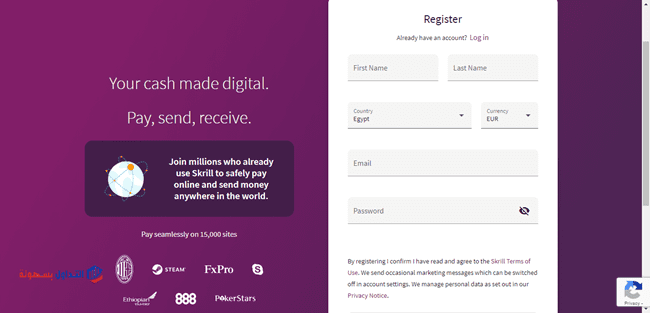
Unfortunately, Skrill is not available in Arabic. You enter the required details — first and last name, email address, country, and your chosen account currency — then set a password. After clicking Register, the next page opens as shown.
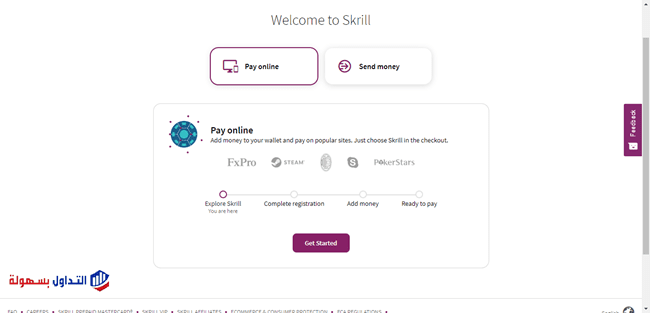
On the page above you are asked to choose the type of service you want: sending money or paying online. Pick either one, then click Get Started and the following page opens.
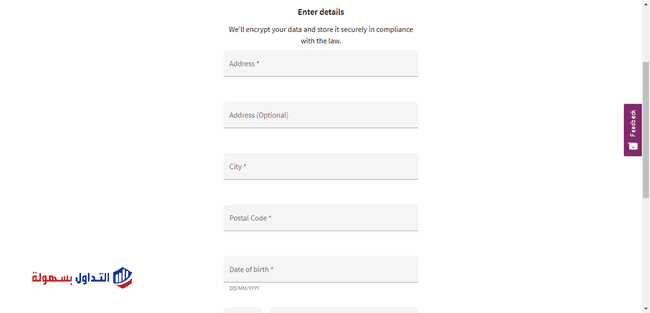
Here you are asked to complete your personal details — address, city, postal code, date of birth, and phone number — then click Next. After that you receive a confirmation message on your phone, which you enter as shown.

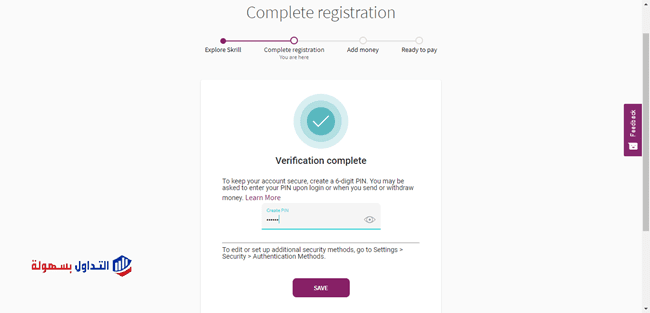
After entering the code and clicking Verify, you are asked to set a PIN, which adds extra security to the account. Choose six digits, then click Save as shown.
Next you are asked to add a balance to the account. You can use your credit card as shown.
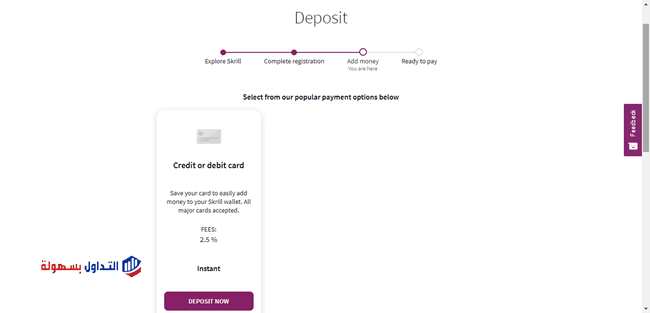
You can also move a balance from your account at NETELLER.
Once you have added a balance, your account is set up and ready. One option remains: verifying the account with documents. You send a photo of your national ID or passport to confirm your name, and a utility bill (electricity or gas) or a bank statement to confirm your address. A bank statement is preferred so you do not run into problems verifying the address, because a bank statement shows the address in English.
Sending Bank Transfers to Individuals
You can send bank transfers directly to individuals, and they can receive them straight into their bank account, through the international transfer service Skrill offers. Go to the Send option, where you will find two choices: Skrill to Skrill, and International money transfer. We will choose the second one, as shown below.
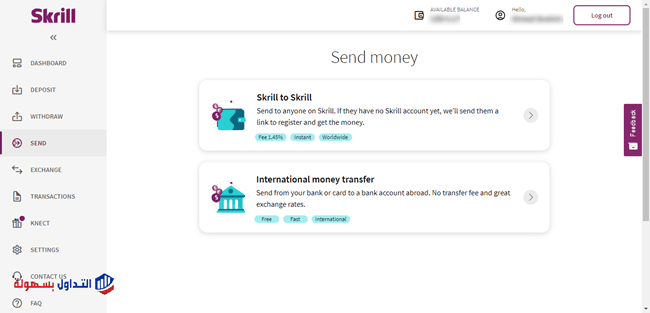
Although the international transfer service supports many countries, it has unfortunately stopped serving a number of Arab countries. There is, however, a workaround for sending money to restricted countries.
The idea is to send the money to a person’s Skrill account, and the person who receives it then withdraws it to their bank account or credit card. This is a method you can apply with Skrill in Egypt, as we explain now.
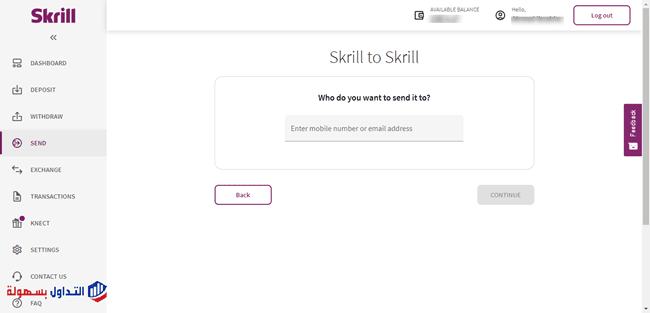
First we send the money to the person we want to pay, by choosing Skrill to Skrill, then entering their Skrill account or the phone number linked to the account, as shown. Do not forget to enter the country code before the number.
Next you are asked to enter the amount you want to transfer and choose the currency, as shown.
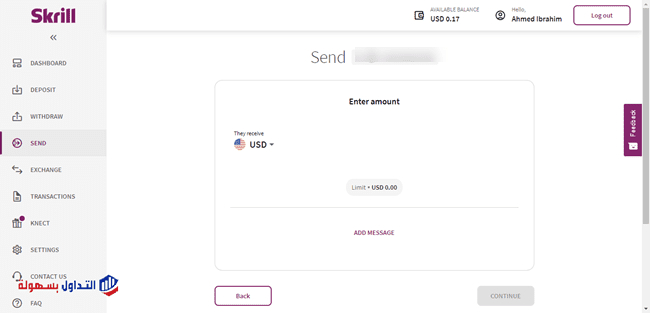
After entering the details you click Continue, and you are asked to enter your PIN. The transfer then goes through. At this point the transfer is complete from your side; what remains is for the other party to withdraw the money.
Withdrawing Money From Skrill
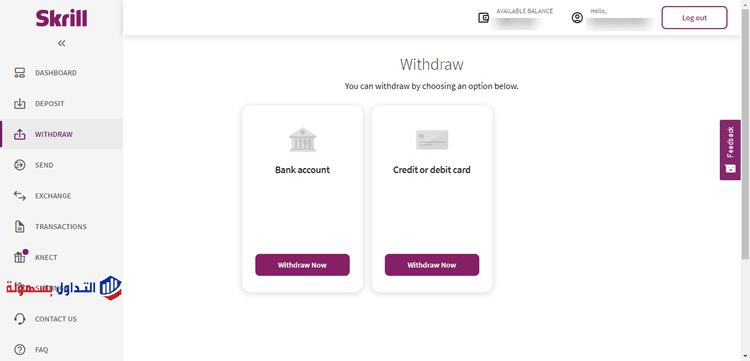
After the recipient opens their Skrill account and confirms the balance has arrived, go to the Withdraw option on the left side of the screen. You will find two withdrawal choices: the first is a bank transfer directly to a bank account, and the second is to a credit card.
Here we will choose Credit or debit card, as shown below.
You are then asked to enter the card details. If you already entered them at the start, you can skip this step.

Next you are asked to enter the amount you want to withdraw and choose the currency.

The following page then appears, telling you how long the withdrawal will take, the amount withdrawn, and the service fee.

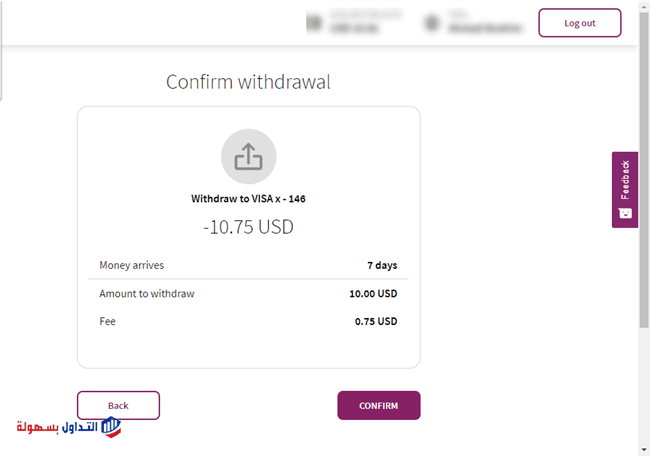
After that you are asked to enter your PIN.
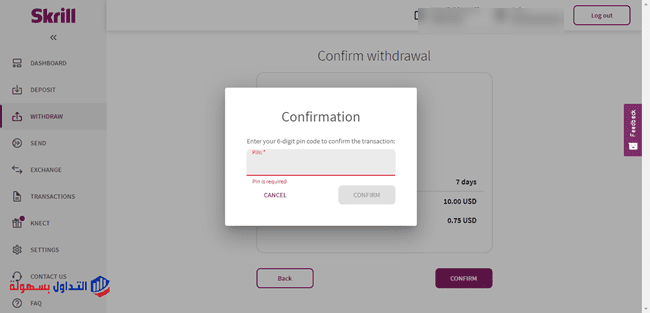
Once you have entered the PIN and the process is fully complete, a message appears telling you the withdrawal was successful.
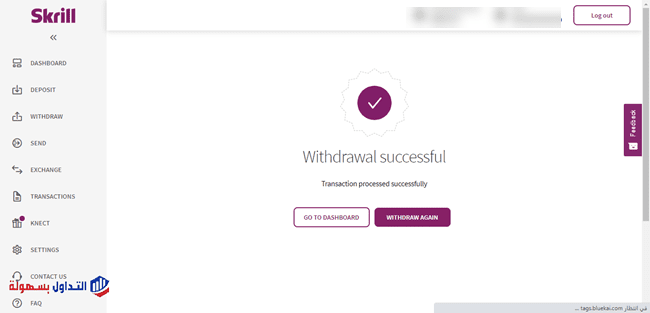
All that is left is to wait for the money to arrive on your credit or debit card.
Skrill Fees and Charges
Skrill’s fees vary by the service used. For deposits, for example, Skrill charges 1% on any amount you deposit, whether by bank transfer, through NETELLER, or via Visa and Mastercard.
For withdrawals, Skrill charges 4.76 GBP or 5.50 EUR for each withdrawal made by bank transfer, and 7.5% on any withdrawal made to a Visa card.
When sending transfers through the Skrill Money Transfer international service, Skrill does not charge any fee for the operation, and recipients are not charged either.
A fee of 2% applies to domestic money transfers.
When transferring money from one Skrill account to another, a fee of 1.45% is charged, with a minimum of 0.50 EUR applied if you fund your wallet by card or bank account.
Your Skrill account stays free for personal use as long as you log in or make at least one transaction every 12 months. Otherwise, Skrill deducts a service fee of 5.00 EUR (or the equivalent) per month from your account if you have not used it within 12 months.
When converting currencies within any transaction you make, Skrill adds a 3.99% fee on the exchange rates.
There is also a fee on cryptocurrency. In any case, it is best to keep checking the fees page from here so you stay aware of any changes to Skrill’s service charges.
Note: fees vary from one country to another, so you should check the fees for your country using the link above before making any transaction.
How Long It Takes to Receive Money From Skrill
Sending and receiving money between Skrill accounts does not take long — receiving money within Skrill is very fast and the transaction is carried out instantly. If you request a withdrawal by bank transfer, it should take one to five business days depending on your bank, and it also varies by the country you are withdrawing to. In general, the time frame the withdrawal will take is shown when you start a bank withdrawal.
How Long It Takes to Send Transfers Using Skrill
If you use a debit or credit card to send money, the funds are debited from your card and added to the recipient’s account instantly. But if you use a bank transfer, it can take 2 to 5 days for the amount to be credited to the recipient’s account. As mentioned above, this varies from one country to another.
Customer Support
Skrill provides a customer support team available around the clock, seven days a week, by email at “help@skrill.com”. If you want to contact support you should write in English; you can use Google Translate for this, but be careful when using translation because it may introduce some errors. There is also an interactive FAQ section to help you troubleshoot any issues without resorting to support.
Conclusion
Skrill may be a good option if you want to receive and send money from individuals or businesses such as forex brokers, or if you want to send bank transfers to people from your credit card without having to go to the bank. Skrill also offers what is known as the Skrill card, which you can request easily. A notable point is that most forex brokers do not charge any commission on deposits and withdrawals via Skrill.
Also learn about PayPal, Payza, or a list of the top 10 e-wallets.
Frequently Asked Questions
How does a Skrill account work?
A Skrill account works through three steps: create an account and complete the verification steps, then start making your transactions and moving money into your account, and finally withdraw the money.
Can I withdraw to my bank from Skrill?
If you want to transfer money from your Skrill digital wallet to a personal bank account, just open the withdrawal section in your account, click Withdraw now, and select the bank account you want to withdraw the money to. The transaction goes through right away.
How long does it take to withdraw money from my Skrill account?
If the transaction is credited to your bank account, it should take one to three days depending on your bank.
How can I deposit money into Skrill?
Open the funding page or click the deposit button in the top corner. Then choose US Dollar, Euro, British Pound, or Russian Ruble as the deposit currency and enter the amount. After that, select Skrill as the payment option, select the country, and click Continue.
Related guides: Deposit and withdrawal methods at forex brokers.